olx188Android & iOS App
Mobile access to olx188 splits between three paths: download our Android APK direct to your phone, use the iOS web app through your mobile browser, or access our responsive web platform from any device. Each path has distinct advantages—offline caching and push notifications on the native Android build, or instant access without installation on the web. We explain the trade-offs so you can choose what suits your setup and connection speed.

- and
- DownloadAPK
- StartFirst Game
- Installin
Our olx188 app was built to handle football markets, live-dealer tables, slot games, and esports across networks that range from home WiFi to commute data. When you download the Android version or install our iOS progressive web app, you're accessing the same account, the same markets, and the same payment rails (DANA, e-wallet, mobile banking, local payment, and other Indonesia-region methods) that you would on desktop. The difference is speed, notification timing, and whether you prefer to store the app locally.
Before you download, create and verify your olx188 account on the web version—that way, your KYC documents and two-factor authentication are already set up when you switch to mobile. We walk through the install process, troubleshoot common certificate issues, and outline what permissions we ask for and why. All account data is encrypted in transit and at rest, and your login credentials remain under your control across every platform.
Getting the olx188 app on your device
olx188 distributes mobile access through Android APK download, iOS web app bookmark, and a web-responsive platform that works on any browser. If you use Android, you can download the APK directly to install a native app. If you use iOS or prefer not to install, open our web app in Safari or Chrome, add it to your home screen, and it will launch full-screen like an app without taking up device storage.
Three ways to access olx188
Download the Android APK for offline cache and native notifications, bookmark the iOS web app on home screen for instant launch, or open the web version in any browser. All three share your account, your withdrawals, and your deposit methods.
Four steps to get started
- Download: On Android, download the APK from the link above and tap to install; on iOS, open this link in Safari and tap the share button to add to home screen.
- Install: Android will prompt you to allow installation from unknown sources (required once per device); iOS will prompt you to confirm the home-screen shortcut.
- Register: Create your olx188 account in the app or on the web version, and verify your identity with KYC documents as requested.
- Start: Log in, deposit using DANA, e-wallet, mobile banking, or a bank virtual account, and access football markets, live-dealer tables, slots, and esports.
App versus browser: trade-offs and strengths
The olx188 Android APK builds local cache so live-market data loads faster on weak connections, sends push notifications for league updates and withdrawal confirmations, and runs natively without browser overhead. The iOS web app and mobile browser version skip the install step, update automatically when we push changes, and take no device storage—useful if you have limited space or prefer not to grant app permissions. Neither version restricts features; all games, markets, and payment methods work across each platform. Choose Android APK if you want offline resilience and instant notifications during Liga 1 or Piala AFF matches; choose web app if you value simplicity and automatic updates.
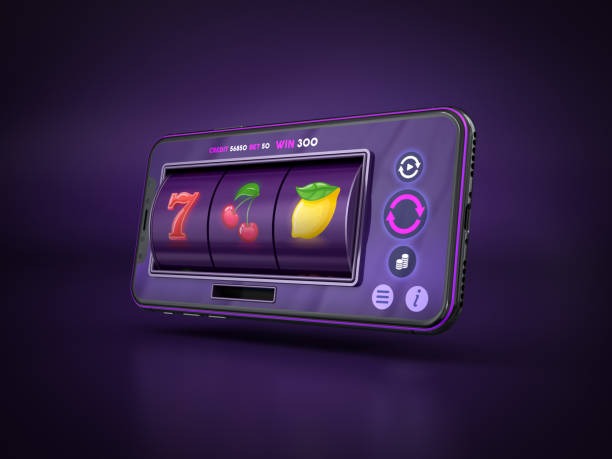
Device compatibility and requirements
olx188 runs on Android 7.0 and later, and iOS 12 and later. If your device is older, use the web version instead—it works in any modern mobile browser. For Android, we recommend at least 50 MB of free storage for the APK and local cache. If you see version warnings in Google Play, those are third-party listings; use the official download link from olx188 to ensure you receive genuine updates and security patches.
Troubleshooting common install issues
On Android, if installation fails, check that "Unknown Sources" is enabled in your device settings (Settings > Apps > Special app access > Install unknown apps, then select your browser). If you see a certificate warning, that is normal during the first install—it means your device is verifying the APK is unchanged. Do not skip the warning; wait for it to clear and try again. On iOS, if the web app won't add to home screen, ensure you are using Safari (not Chrome), are logged in to olx188, and tap the share icon in Safari's bottom menu, then select "Add to Home Screen". If the app icon is slow to load after install, force-refresh in Safari (swipe down from the top of the screen) and try again.
Data, permissions, and account security on mobile
When you install the olx188 app, we request notification permissions so we can alert you to league results and withdrawal status. We ask for storage permission only to cache game data locally, speeding up load times. All login credentials, deposit information, and account activity are encrypted end-to-end—we do not store your password on the device. Two-factor authentication works on mobile exactly as it does on the web version: if you log in from a new device, we send a code to your registered email or phone, and you must verify it before access is granted. If you lose your device or sell it, log out remotely from another device or contact our support team to revoke access. Your olx188 account remains secure across any platform.

Mobile olx188 tips and guidance
Key takeaways
- Create and verify your account on the web version first, then log in on mobile—KYC documents need only be uploaded once.
- Android APK offers offline cache and notifications; iOS and web offer instant updates with no install step. Both access the same account and markets.
- All payment methods (DANA, e-wallet, mobile banking, local payment, online payment, e-wallet, mobile banking, local payment, online payment, e-wallet) work on every platform; withdrawal timelines are the same.
- olx188 services are available only where applicable law permits. Verify your jurisdiction before creating an account.
We at olx188 maintain the same account, the same withdrawal review process, and the same KYC standards across Android, iOS, and web. If you use multiple devices, log out of one before logging in to another—this prevents session conflicts and keeps your two-factor authentication working smoothly. During high-traffic events (Champions League matches, Jakarta derbies, Piala AFF finals), mobile and web traffic can peak; if you experience slow load times, try refreshing in 30 seconds or switching from WiFi to mobile data (or vice versa) to find the fastest route to our servers.
If you need help after download—whether it is account recovery, withdrawal delays, or payment method issues—we provide support in English through our web chat and email. Before contacting support, verify that your olx188 account is logged in, that two-factor authentication is active, and that you have checked your withdrawal history to confirm your request was received. We handle requests in the order received; during high-traffic periods, response times may extend by a few hours. olx188 services are available only in jurisdictions where we are licensed and where local law permits our operation. If you are unsure whether your location is supported, check our legal notice or contact us before depositing.